

Automations
If this, then that. For your whole post-purchase.
25+ rule types. Conditions spanning orders, customers, products, claims, shipments, and registrations, combined with AND/OR logic and priority ordering. A visual Flow View that organizes your rules by customer journey event. This is the engine that enforces your policies at scale.
How It Works
Conditions. Actions. No code.
Every rule follows the same pattern: conditions decide when it fires, actions decide what happens. Simple, right? Conditions can read any signal on the order, customer, product, or claim, and combine with AND/OR logic to get as specific as the policy needs. Rules run by priority, and you reorder them by dragging. It all happens in a visual builder, with no code to write or maintain.

What conditions can evaluate
Custom field responses and claim line item quantity are conditions too.
Priority expresses your policy. A rule that waives fees for defective items sits above the rule that charges fees on all refunds, so defective claims hit the waiver first. Different policy? Just drag-and-drop to reorder.
Every rule has a toggle. Turn rules on and off without deleting them — seasonal policies, promotion windows, or testing a change. Three views (Flow, List, Templates) show the same rules three ways.
Financial Automations
Control the economics of every claim.
A few different rule types govern the money: fees, label costs, incentives, and routing. Each one conditional on any combination of order, customer, product, or claim attributes.
Charge Return Label
e.g. Charge label cost on refunds, except defective items
Conditionally charge customers for their return label, with a percentage markup or fixed fee on top of actual cost. Deducted from the refund or credit; charged via Stripe for exchanges.
Charge Exchange Order Shipping
e.g. Charge exchange shipping internationally, waive domestic
Bill customers for the shipping on their exchange order, with the same markup options and conditional logic.
Apply or Waive Fee
e.g. Charge $5 per item when a claim has more than 5 items
The most flexible financial rule. Charge or waive handling fees, fixed or percentage, with customer-visible labels. Multiple fee rules stack by priority, and claim line item quantity is a condition.
Gift Card Incentive
e.g. 15% bonus credit on "defective," 10% everywhere else
Control the store credit bonus offered over a refund. A global default, overridden conditionally by reason, product type, segment, or order value.
Keep Item / Return Not Required
e.g. Keep-it for items under $15 and all consumables
Tell the customer to keep the product when return processing would cost more than the item is worth.
Return Shipping Policy
e.g. West-coast orders return to the Reno warehouse
Multiple return locations with verified addresses. Route returns to warehouses by fulfillment location, country, or product type, via label, packing slip, or both.
Workflow Automations
Route, review, and resolve — automatically.
Multiple rule types decide what happens to a claim after it's submitted: process it, hold it, tag it, restock it, or send it to the warehouse for inspection.
Auto-Finalization
e.g. Finalize exchanges when the return scans In Transit
Resolve claims automatically on shipment events (In Transit, Delivered), warehouse RMA events, or at claim creation, filtered by resolution method. The highest-impact rule: qualifying claims never need a human.
Manual Review
e.g. Hold claims over $300 or with High risk for review
The safety valve. Hold label generation for claims matching your conditions — high values, elevated Claim Risk, specific products — with custom messaging for the customer.
Tag Claim
e.g. Tag "vip-expedite," then a second rule fast-tracks it
Add internal tags on claim creation or events. Tags accumulate from multiple rules and are themselves conditions in other automations, enabling layered workflows.
Tag Order
e.g. Tag orders "returned-fit" for your email segments
Tag the original Shopify order when a claim is filed, optionally with the return reason. Tags persist and flow into Shopify reports, segments, and integrations.
Restock Inventory
e.g. Restock A-stock to Main, B-stock to Outlet
Restock returned items as Available, Damaged, or not at all, to specific Shopify locations, with inspection results able to override. Nothing restocks unless you create rules.
Configure Out of Stock
e.g. Never create exchange orders for unavailable items
Decide what happens when an exchange item is out of stock at finalization: fail the claim, notify you, and control inventory decrementing.
Claim Inspections
e.g. Inspect all "damaged" claims over $100
Condition-based warehouse inspections with assessment questions, A–D grading, notes, photos, and verification. Multiple rules stack. Internal-only, never shown to customers.
Auto-finalization and manual review are a pair: one defines what never needs a human, the other defines what always gets one. Between them sits your policy, and Claim Risk levels from Corso AI are available as conditions on both sides.
Experience Automations
Shape the experience for every customer.
These rules control what the customer sees and what options they're offered, adapting the return, exchange, and registration experience specifically for them and their situation based on all the order and post-purchase context.

Featured · Instant Exchange
Ship the replacement first.
The replacement ships immediately with a pre-authorization, instead of waiting for the return to arrive. A configurable hold window (default 7 days) gives the customer time to send the original back; if they never do, the pre-auth captures. Offer it to everyone or conditionally based on various factors.
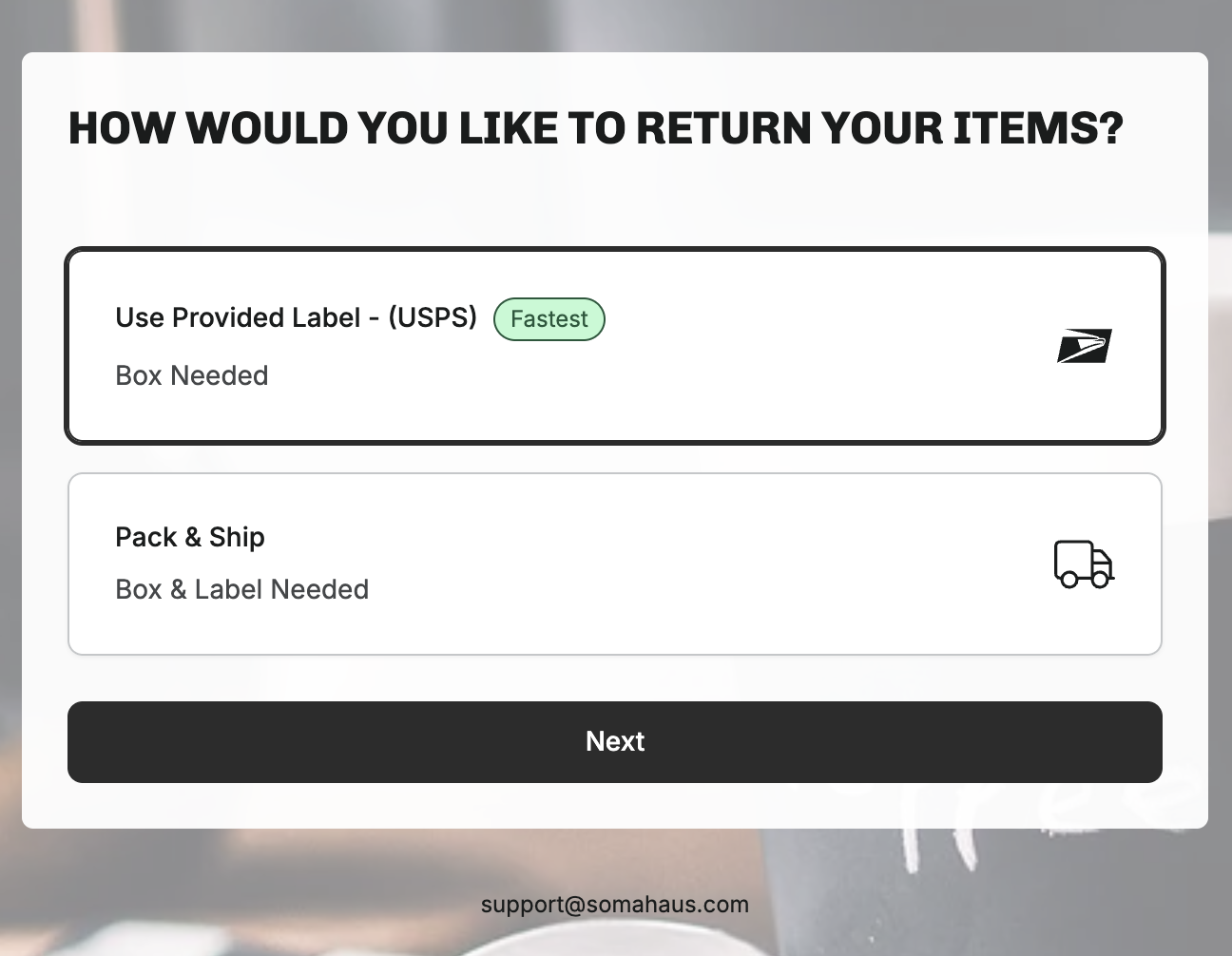
Featured · Shop Now
Credit them to your entire store
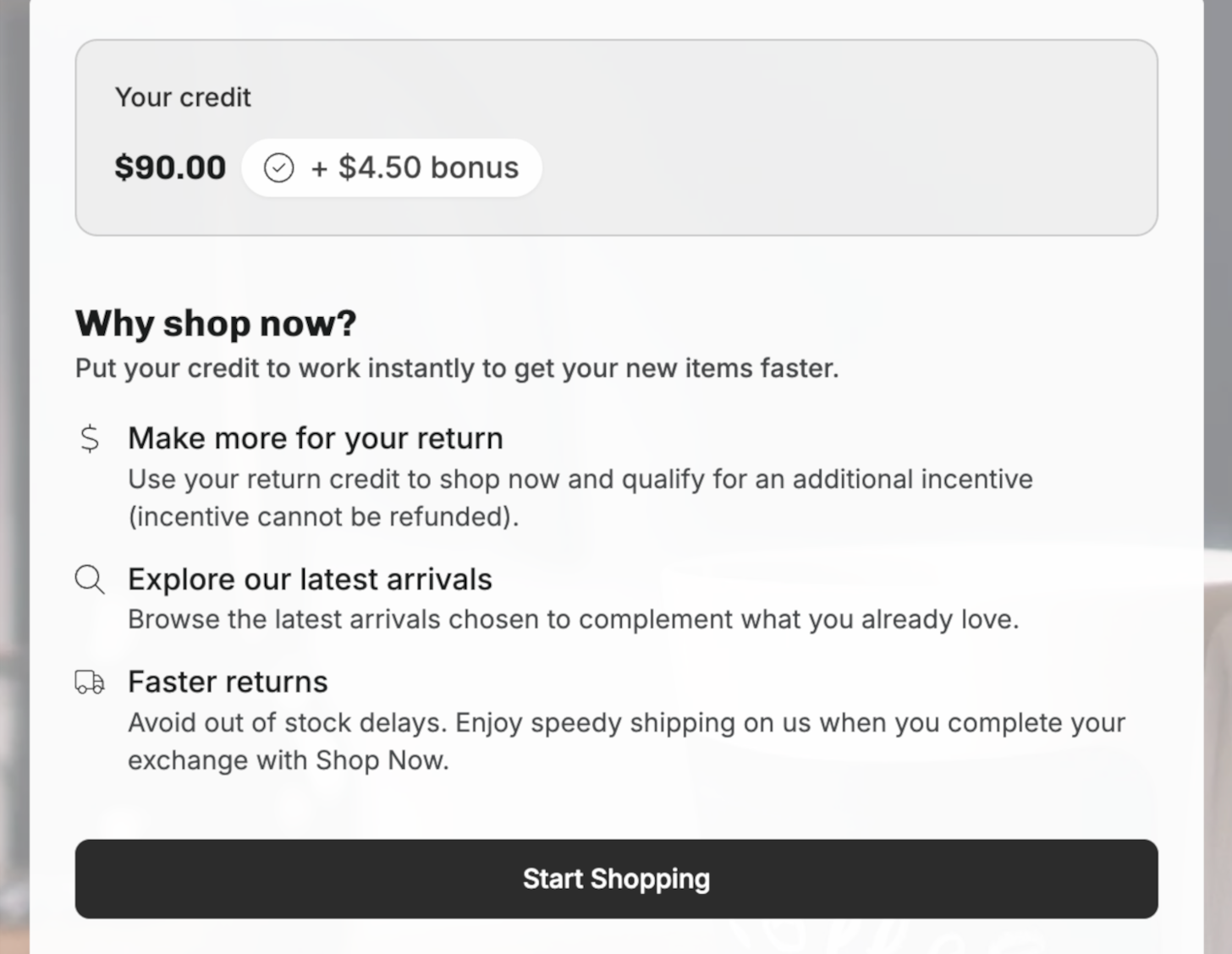
Instead of a limited exchange catalog, customers browse your storefront with their return credit, balance shown in a banner, optional bonus incentive on top. Purchases over the credit collect the difference; revenue analytics track what the program retained and generated.
Return & Warranty Eligibility
Override windows per condition: separate windows for refund, credit, exchange, and warranty. Final-sale rules, holiday overrides, VIP extensions, lifetime warranties.
Policy Enforcing Questions
Yes/No gates in the return flow. A "Yes" to "Has the item been worn?" marks it ineligible with a custom explanation. Conditions control which products see which questions.
Collect Additional Information
Conditional custom fields: text, number, date, selects, and media uploads with minimum photo or video counts. Responses export and feed other automations.
Product Exchange
Cross-product exchanges via product groups, with upsell-only, upsell-and-downsell, or no price adjustment, plus minimum inventory thresholds.
Select Return or Warranty
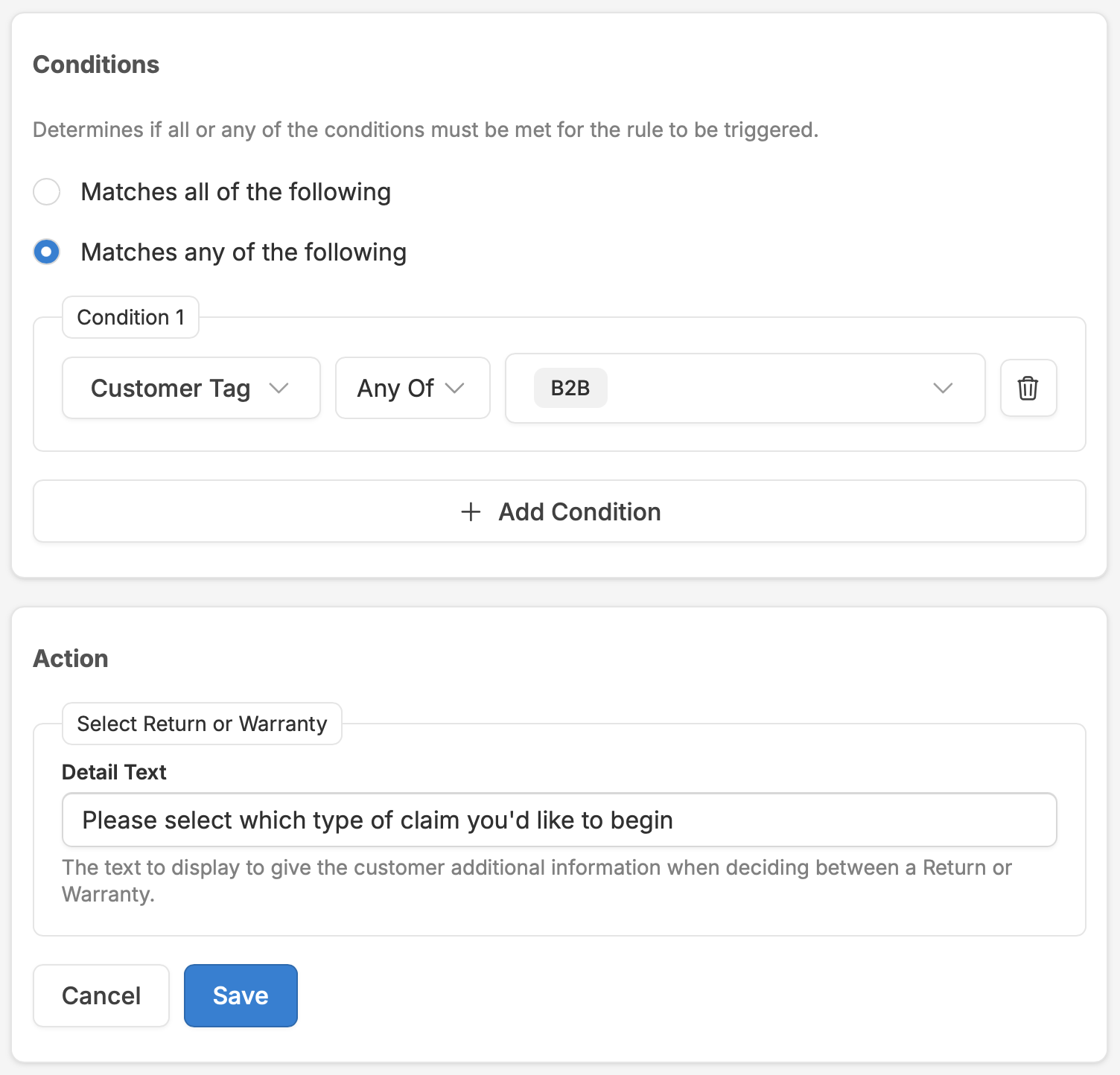
When both windows are active, the customer gets a clear choice with customizable explanatory text, scoped by product type or group.
Registration Incentive & Eligibility
Issue unique discount codes on registration completion, with expiration and redemption tracking. Control which products are registrable per sales channel.
Order Editing
Order editing rules and configuration.
The same engine — conditions, actions, priority — applied to pre-fulfillment order changes. Each rule carries its own conditions, messaging, and editing window.
Cancel Order
Allowed before fulfillment, with restock and notification options.
Update Address
Shipping address changes inside the editing window.
Adjust Quantity
Add or remove items with per-line caps and Stripe collection.
Change Shipping Method
Upgrade to express or downgrade to standard after checkout.
Update Email
Fix the typo without a support ticket.
Remove Shipping Protection
One-click removal of shipping protection.
Apply Discount Code
The code they forgot at checkout, applied after.
Order editing has a full product page covering the customer experience, payment handling, and fulfillment holds: Order Editing.
Visual Builder
See your rules in context. Start with templates.
Flow View organizes rules by when they fire in the customer journey, instead of a flat list. Each event shows its rules with counts, drag-to-reorder, inline editing, and toggles.

Order Lookup
4 active rules
Claim Reason Selection
6 active rules
Exchange Product Selection
3 active rules
Return Shipment Quoted
5 active rules
The Flow View journey, events with their rules in firing order
Twelve templates to start from
Pre-built rules capturing best practices from Corso's most successful implementations. Review the conditions, adjust them to your policy, activate.
Charge Handling Fee for Refunds · Make Items Final Sale · Make Items Exchange Only · Charge Return Label Cost on Unprotected Orders · Charge Return Label Cost on Protected Order Refunds · Deduct Shipping Cost from Refund Total · Charge for Exchange Order Shipping · Waive Fees on Defective Items · Offer Instant Exchanges to US Customers · Block Exchanges for International Orders · Charge Shipping on Exchange of Exchange Orders · Finalize Gift Cards and Exchanges on Shipment In Transit
Configuration
The building blocks behind your rules.
Three configuration systems give your conditions everything they need: what reasons exist, which products group together, and what extra information gets collected.
Custom Fields
A central library of reusable fields — text, number, date, selects, and media upload requirements — attached to returns, warranties, and registrations. Created once, referenced by any automation, exportable, and usable as conditions.
Reasons & Reason Groups
Reasons organized into groups by claim type and product group, each with sub-reason details. A footwear group can offer "too narrow" and "arch support" under "doesn't fit" — detail that apparel returns never see.
Product Groups
Collections built from Shopify tags, types, or collections. They define exchange eligibility, scope reason groups, target automation rules, and control eligibility windows. Synced with Shopify automatically.
See the automation engine on your store.
Book a 30-minute demo. We'll show you rules built from your real return policy, Claim Risk scoring wired into auto-finalization, and the Flow View mapped to your customer journey.