
Changelog - February 2026
- Platform
Webhook Configuration
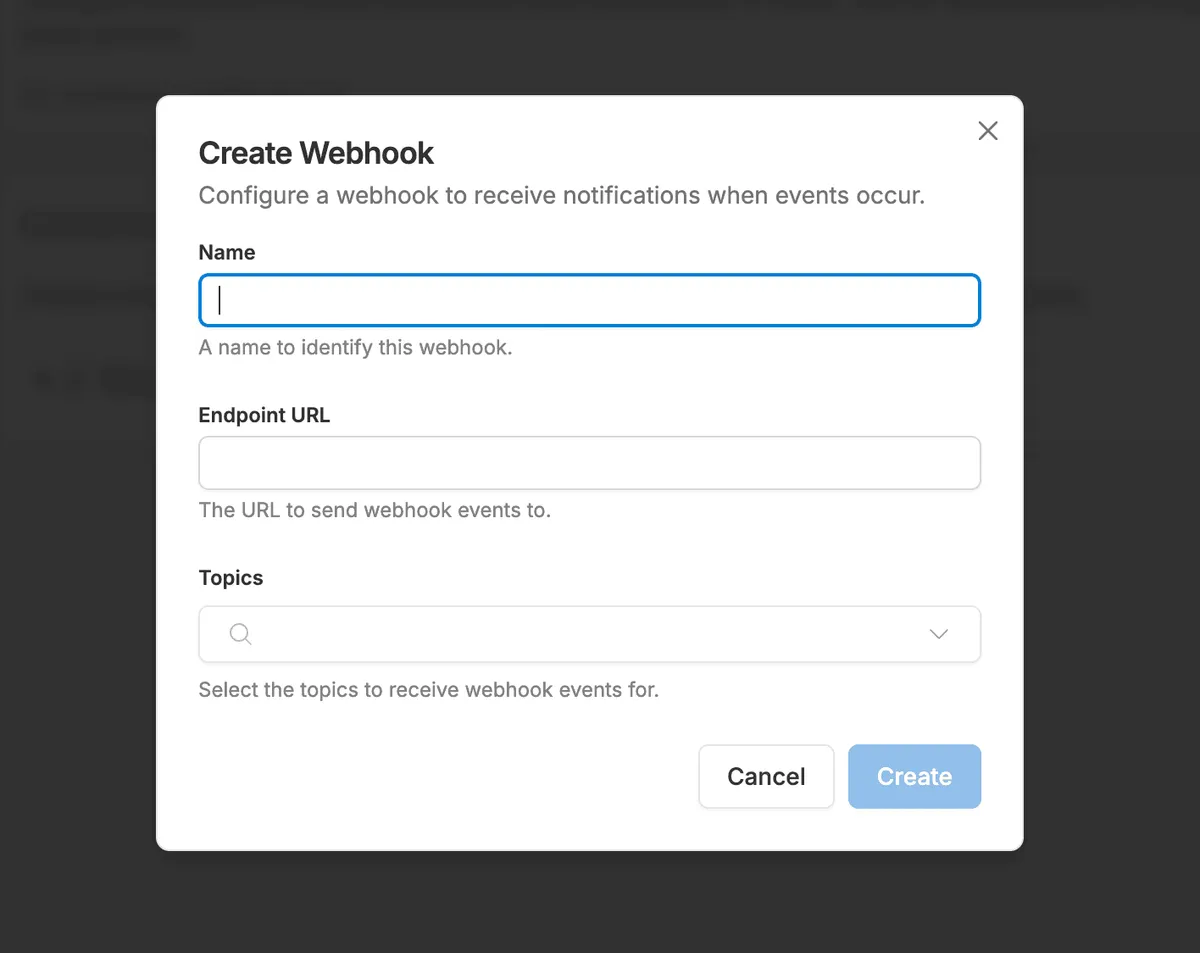
Brands can now register Corso events via configurable webhooks and send real time data to external systems.
| Logan CottleWebhook Configuration enables brands to create custom webhooks within Corso and subscribe to specific events such as Claim Created, Claim Finalized, Shipping Claim events, and Registration Created. Brands can define an endpoint URL and dynamically toggle event subscriptions to send real time Corso data into ERPs, middleware, analytics platforms, or other external systems.
- Platform
Corso Commerce API
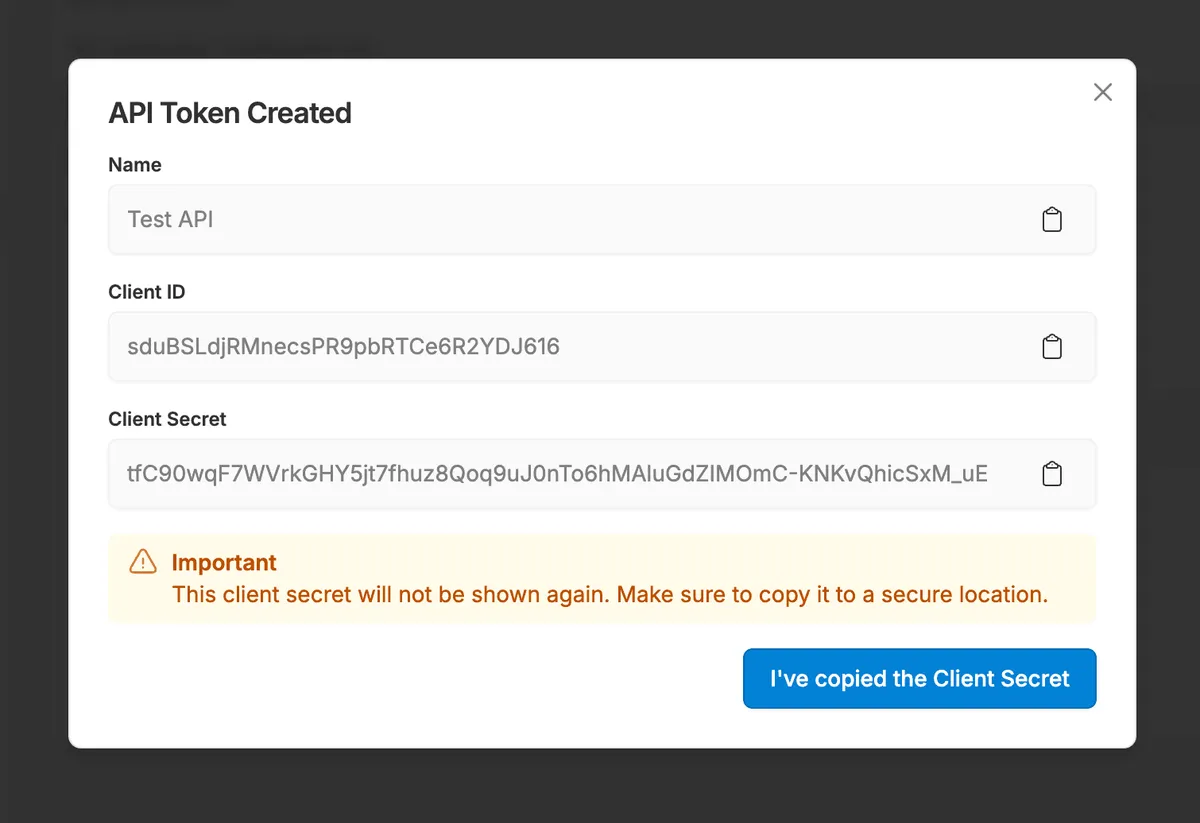
Brands can now generate API credentials to securely access the Corso Commerce API and programmatically file or manage claims.
| Logan CottleThe Corso Commerce API enables brands to create secure API tokens and integrate Corso functionality into external systems. Brands can generate a Client ID and Client Secret within Corso Admin and use these credentials in server side environments to file claims, retrieve claim details, and automate workflows. Full endpoint documentation is available at dev.corso.com to support development teams implementing integrations.
- Shipping Plus
New Line Item Attributes for Shipping Plus
New line item attributes allow Shipping Plus rules to trigger based on Corso-issued gift cards and customer tags for more advanced shipping logic.
| Logan CottleCorso has introduced two new line item attributes, _corso_applied_gift_card_codes and _corso_customer, to unlock more advanced Shipping Plus functionality. These attributes allow admins to track when a gift card was issued by Corso and associate it with a specific customer email, enabling shipping rules to trigger based on customer tags like VIP. Brands can now stack conditions such as customer tag and Corso-issued gift card usage to modify, replace, or add fees to shipping rates directly in checkout. This adds powerful flexibility to Shipping Plus and gives brands more control over how shipping logic is applied in high value or promotional scenarios.
- Shipping & Delivery
Corso Concierge Report
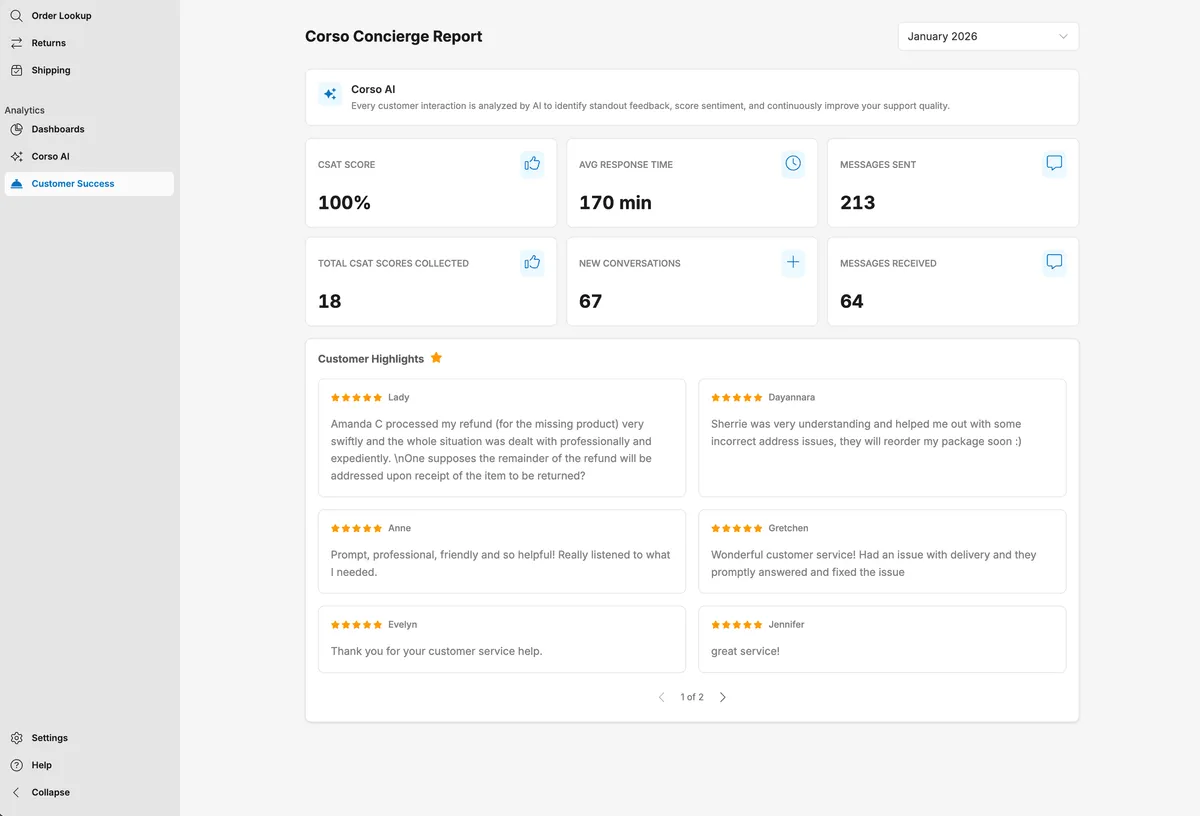
A new month over month Concierge Report gives brands visibility into CSAT, response times, and customer highlights tied to shipping protection claims.
| Logan CottleCorso has introduced the all new Concierge Report within the Customer Success Analytics Dashboard, giving brands direct access to how our team is supporting their customers on shipping protection claims. This month over month report surfaces high level metrics like CSAT, average response time, total messages sent and received, and new conversations started. It also highlights key customer insights using AI to call out the most relevant moments from the month. Brands now have full control to view and reference these reports at any time, providing clear visibility into the impact the Corso Concierge team is driving on their behalf.
- Returns and Exchanges Customer Experience
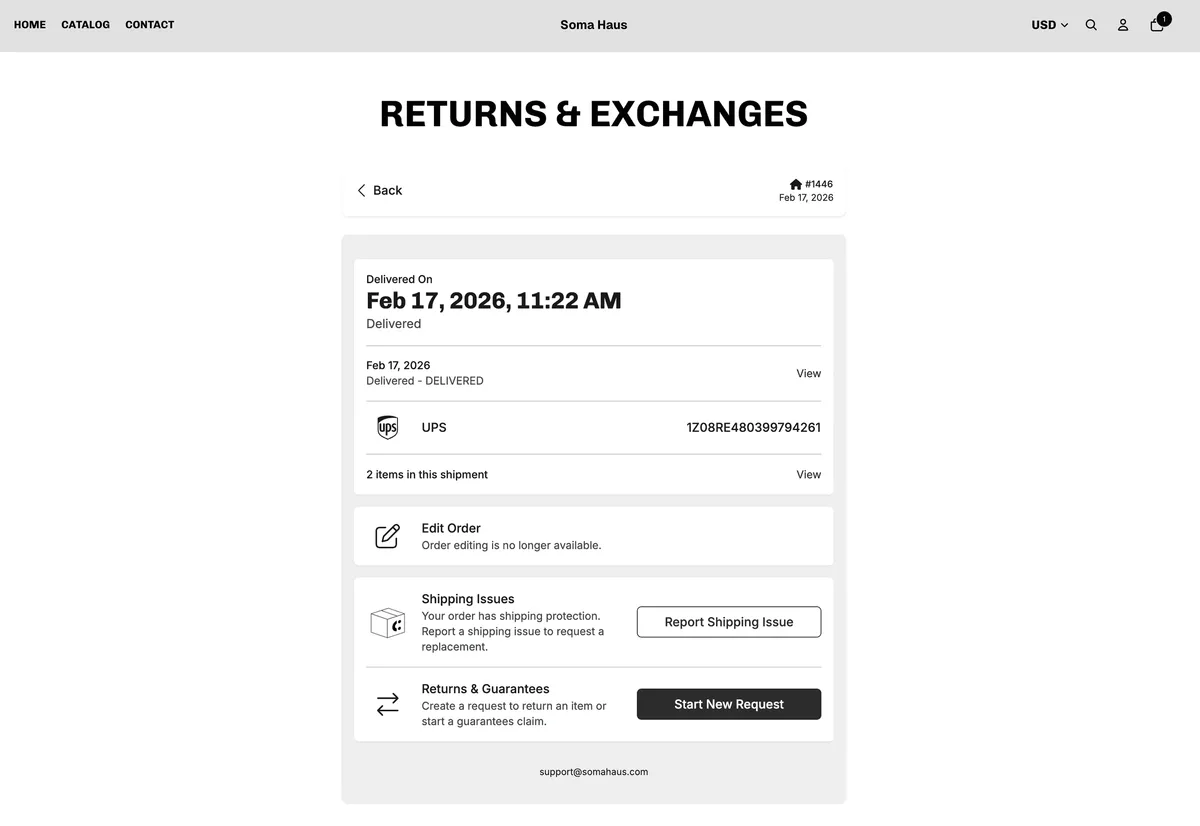
Custom Portal Styling with Fonts & Colors
Brands can now fully customize their embedded customer portal with custom fonts, CSS styling, and brand colors.
| Corso Product TeamWe've introduced enhanced styling controls for the Corso customer portal, allowing brands to customize fonts, font families, and colors to better match their storefront experience. Through a new custom CSS section in the admin, brands can import fonts from Google Fonts or external files, apply styling to supported heading and body classes, and make detailed visual adjustments using CSS. Brands can also update predefined color attributes across the portal to align backgrounds and surfaces with their brand guidelines. This gives brands full control over the look and feel of the embedded portal, creating a seamless and fully branded post-purchase experience for their customers.
- Returns and Exchanges Integrations
Enhanced Zendesk Integration Experience
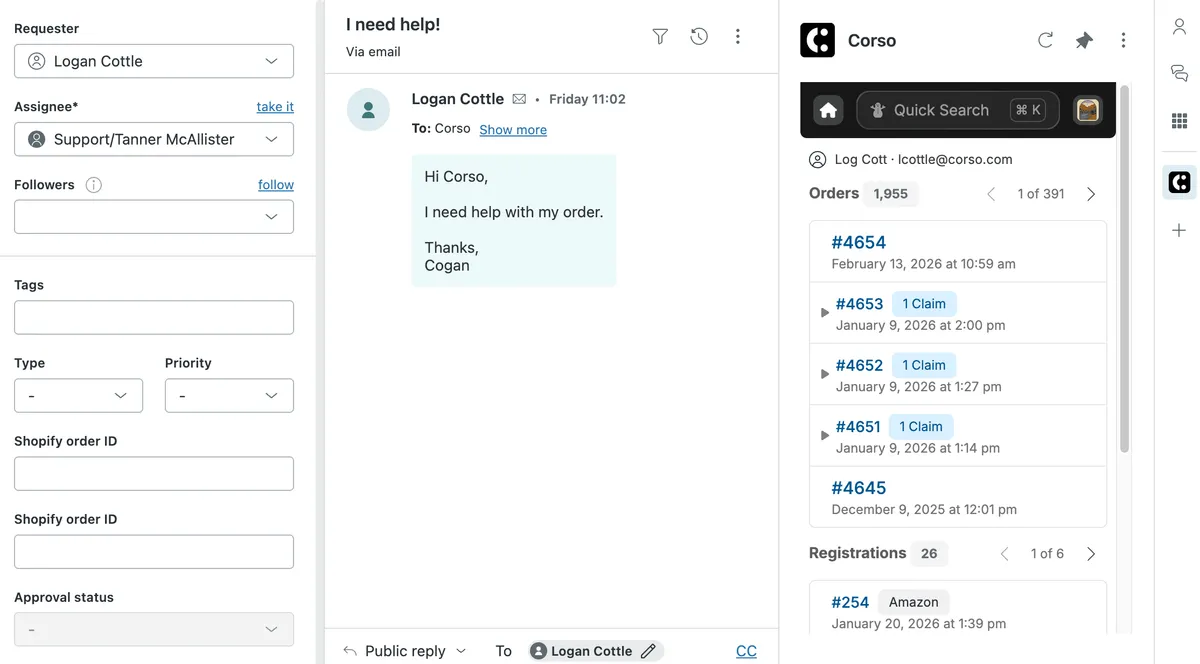
We've rebuilt and enhanced our Zendesk integration to allow support teams to view and manage claims, orders, and registrations directly within Zendesk.
| Corso Product TeamWe've rebuilt and significantly enhanced our Zendesk integration to give your support team more power directly inside the ticket view. Reps can now see a customer's top orders, associated claims, and registrations, quickly search across orders or claims, and create or manage returns, warranties, and shipping protection claims without ever leaving Zendesk. The embedded experience mirrors the Corso admin, allowing teams to adjust resolutions, generate labels, and take action in one place. This update saves time, reduces tab switching, and streamlines post-purchase support workflows for your team.