
Changelog - March 2026
- Returns and Exchanges
Search Added to Corso Admin Settings
Brands can now search across all settings in the Corso admin, making it faster to navigate to any configuration page without knowing exactly where it lives.
A search bar has been added to the Settings area of the Corso admin. Brands can now quickly search across all available setting pages, including automations, shipping policies, product groups, and more. Rather than manually navigating through menus, this gives teams a faster way to jump directly to the setting they need. Given the breadth of configuration options available in Corso, this improvement makes day-to-day admin management noticeably more efficient.
- Returns and Exchanges
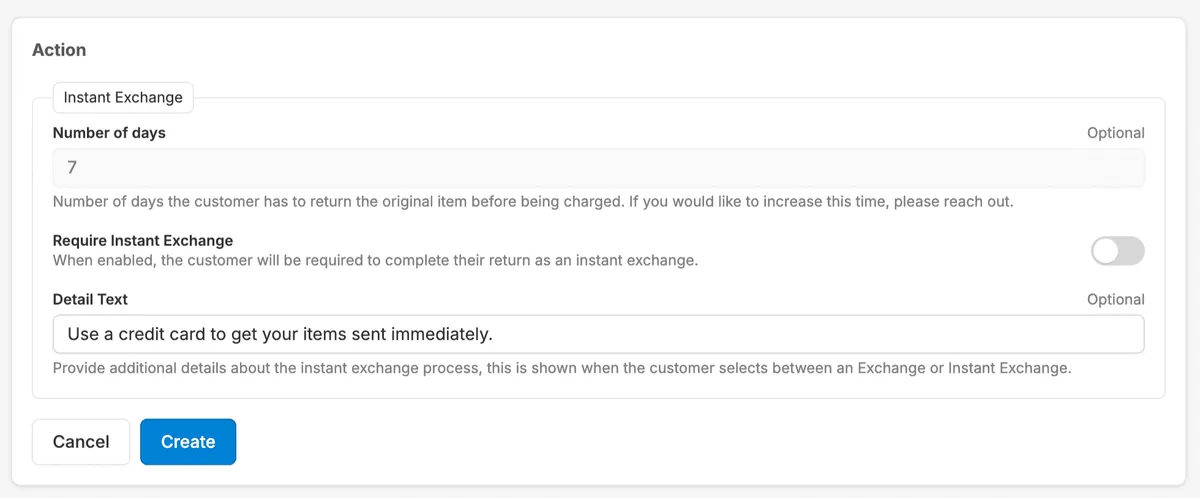
Instant Exchange Detail Text Now Customizable
Customize the Instant Exchange detail text shown to customers during the claim flow to match your brand voice, add policy specifics, or set expectations.
Brands can now edit the Instant Exchange detail text shown to customers during the claim flow. This allows brands to define or describe how Instant Exchange works in their own words, whether that means adjusting the tone, adding policy specifics, or tailoring the messaging to match their brand voice. Previously this text was static, so this update gives brands the flexibility to set customer expectations in a way that works best for them.
- Analytics
Admin Dashboard Improvements
Dashboards no longer refresh when navigating away, making it easier to multitask and improving overall user experience.
| Logan CottleThe admin dashboards have been updated to persist their state when users navigate away, whether to a new page or a new tab. Previously, returning to the dashboard would trigger a full refresh, interrupting workflows and requiring users to wait for data to reload. With this update, dashboards retain their loaded state across navigation, resulting in a smoother and more efficient experience.
- Returns and Exchanges New Feature
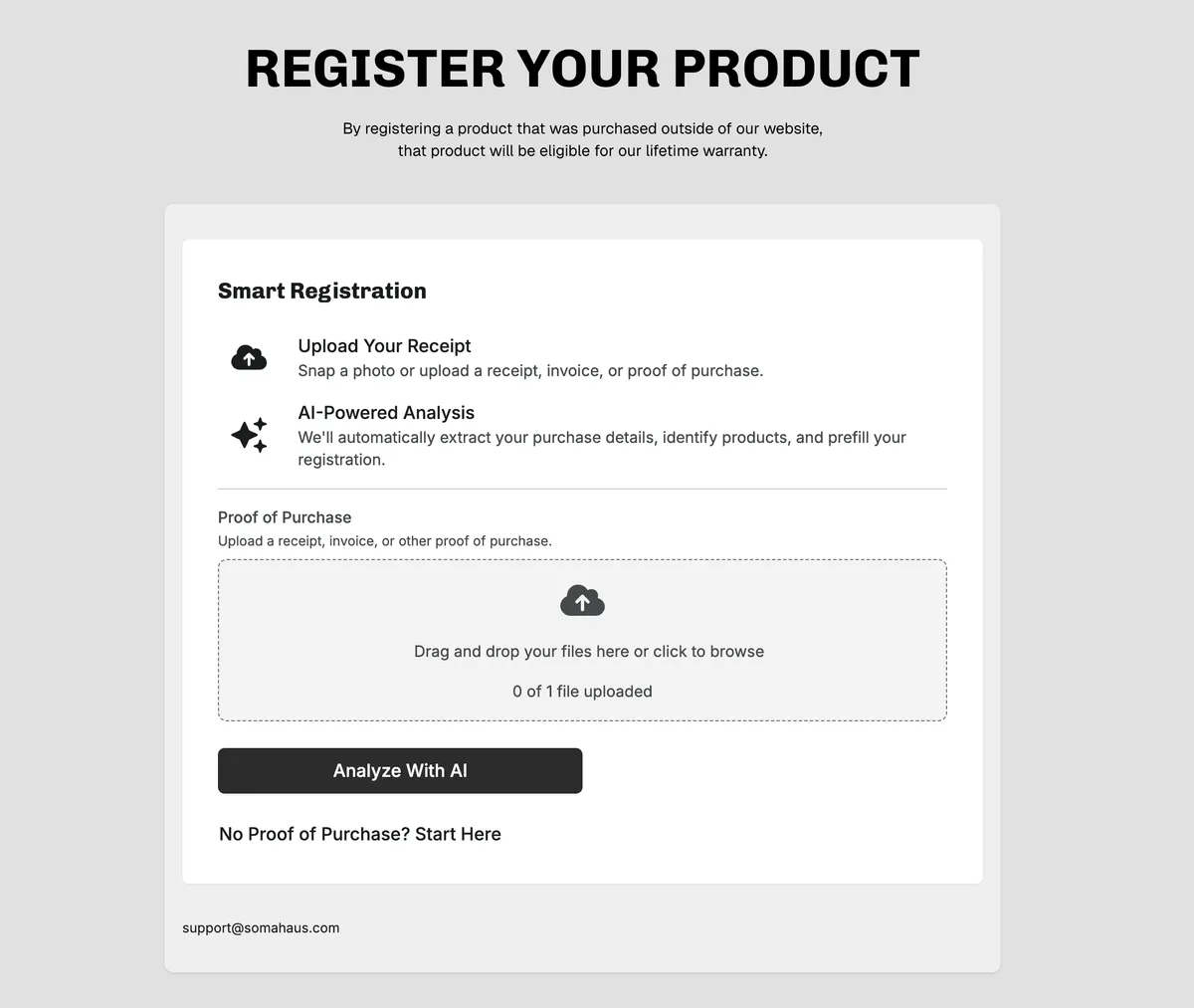
Smart Registrations
Smart Registrations uses AI to read uploaded receipts, pre-fill product registration details, and suggest matching catalog products for one-click setup.
Smart Registrations is an opt-in feature that transforms the product registration experience using AI. Instead of manually completing a form, customers upload a proof of purchase and Corso automatically analyzes the image to pre-fill registration details and suggest matching products from the brand's catalog. High-confidence product matches are surfaced as one-click suggestions, and customers can swap variants or manually search the catalog if needed. Brands can view whether each registration was completed using AI-assisted suggestions or manual entry, providing better visibility into registration quality and accuracy.