
Changelog - April 2026
- Returns and Exchanges
Additional Details Now Visible In Timeline Events
Timeline events on claims and registrations now show processing errors, finalization failures, and shipping updates so teams can resolve issues faster.
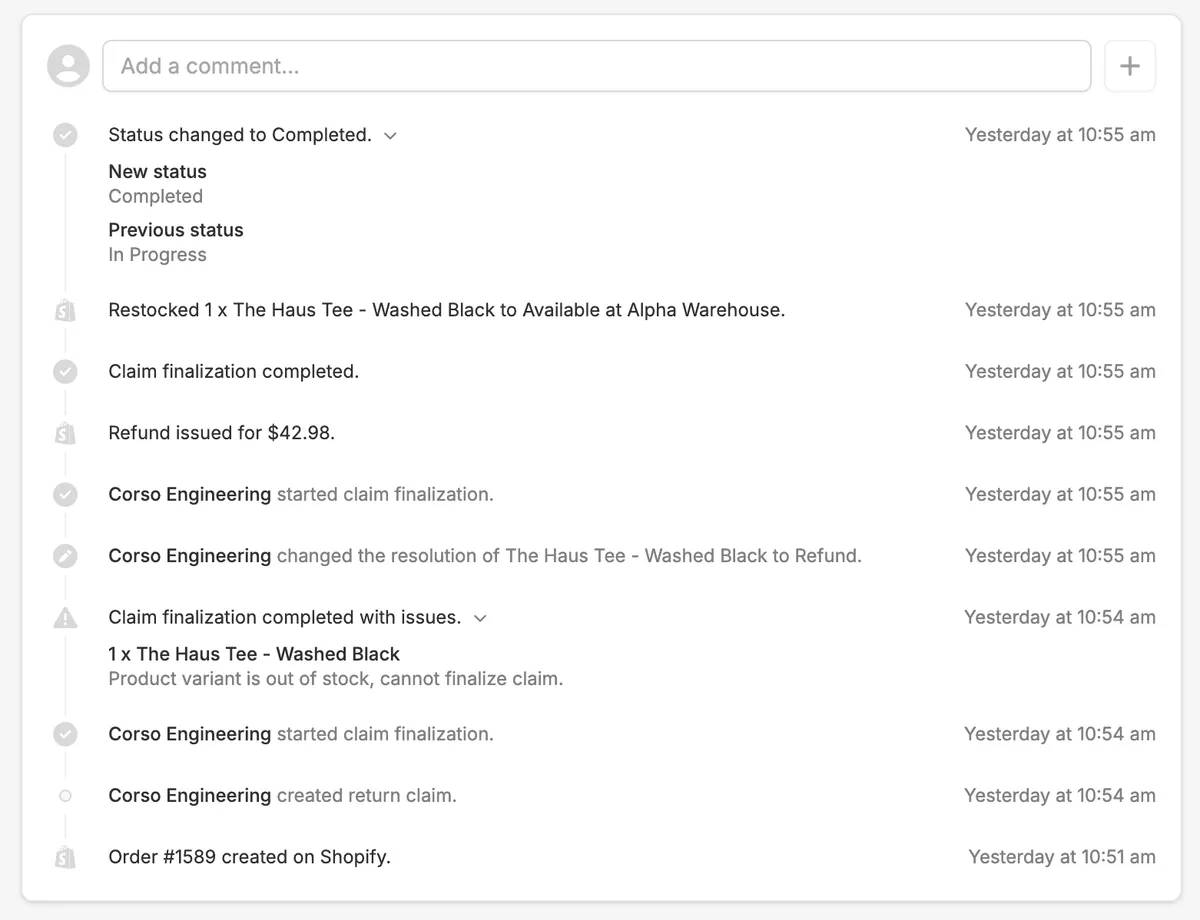
Timeline events on claims and registrations now include expanded detail to give users greater visibility into what is happening at each stage. This includes error details when a claim fails to process or finalize, such as an item being out of stock or a product no longer existing, as well as shipping-related details like label creation and status updates. When a claim does not finalize as expected, users will now have the context they need to understand why and take the appropriate next steps to resolve it.
- Returns and Exchanges
Registration Discount Incentives Now Available
Reward customers with a discount code on product registration that applies automatically at checkout, driving repeat purchases and net new revenue.
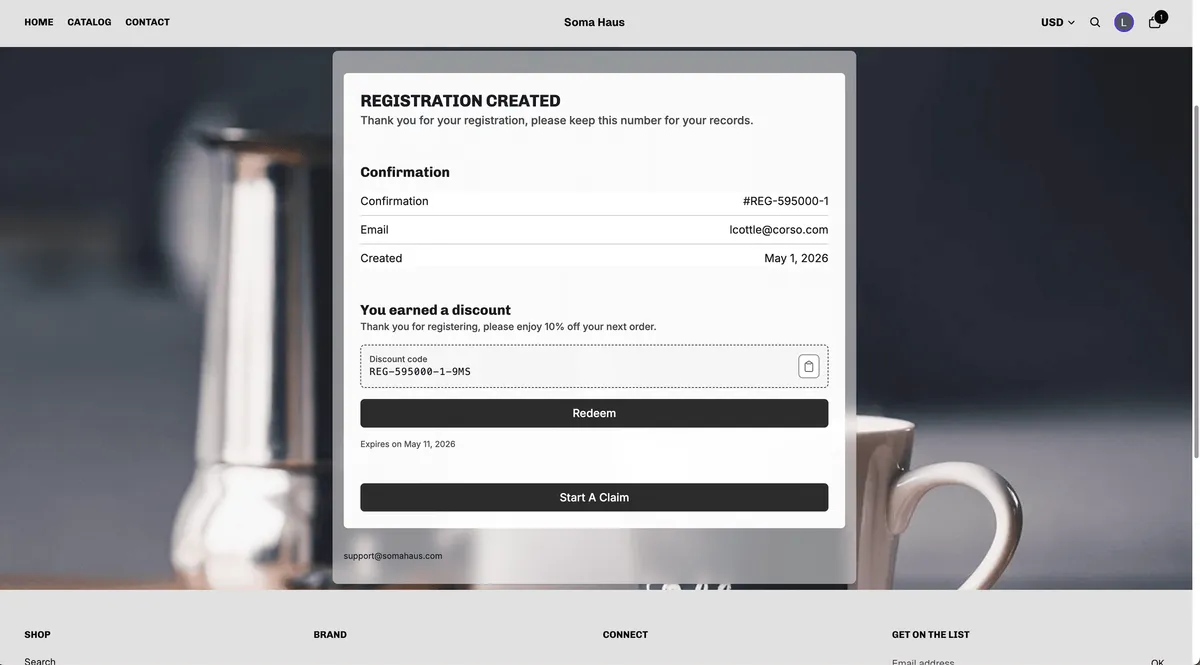
Brands can now configure discount incentives as part of the product registration flow. Upon submitting a registration, customers are automatically provided with a discount code for either an amount off a product or an amount off their order. Brands can direct customers to a specific product or collection page where the discount code will be automatically applied at checkout, creating a seamless path to purchase. Comprehensive reporting is available in the Corso admin to track registrations submitted, discount incentives issued, codes redeemed, and the net new revenue generated from converted orders.
- Returns and Exchanges
Exportable Reports Now Available for Shipping Claims and Registrations
Export filtered CSV reports for shipping claims and registrations from the Corso admin, with chosen columns and custom fields delivered by email and in-app.
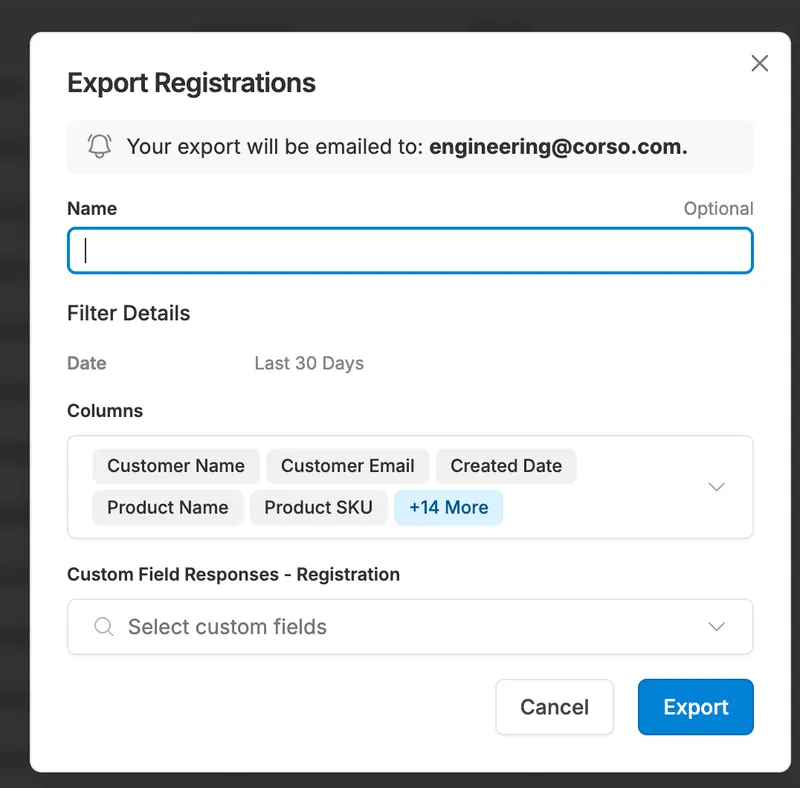
Report exporting is now available for shipping claims and registrations in the Corso admin, bringing these claim types in line with the existing reporting functionality for Returns and Warranties. Brands can apply filters to scope the report to the data they need, select which columns and custom fields to include, and generate the report. Once ready, they will receive an email notification and an in-admin notification with a link to download the CSV file.
- Returns and Exchanges
Registration Proof of Purchase Media Now Factored into Claim Risk Scoring
Proof of purchase images from registration now factor into Corso Claim Risk scoring, flagging reused media to help detect fraudulent warranty claims.
The proof of purchase media uploaded as part of a product registration is now incorporated into Corso's Claim Risk scoring for warranty claims. When the same image has been used across multiple claims, it will be flagged as a risk factor and contribute to a higher claim risk score, signaling that the claim may be fraudulent. This addition strengthens Corso's existing Claim Risk functionality by extending fraud detection into the registration flow, giving brands greater confidence when evaluating the legitimacy of warranty claims.
- Returns and Exchanges
Registration Tags Now Available
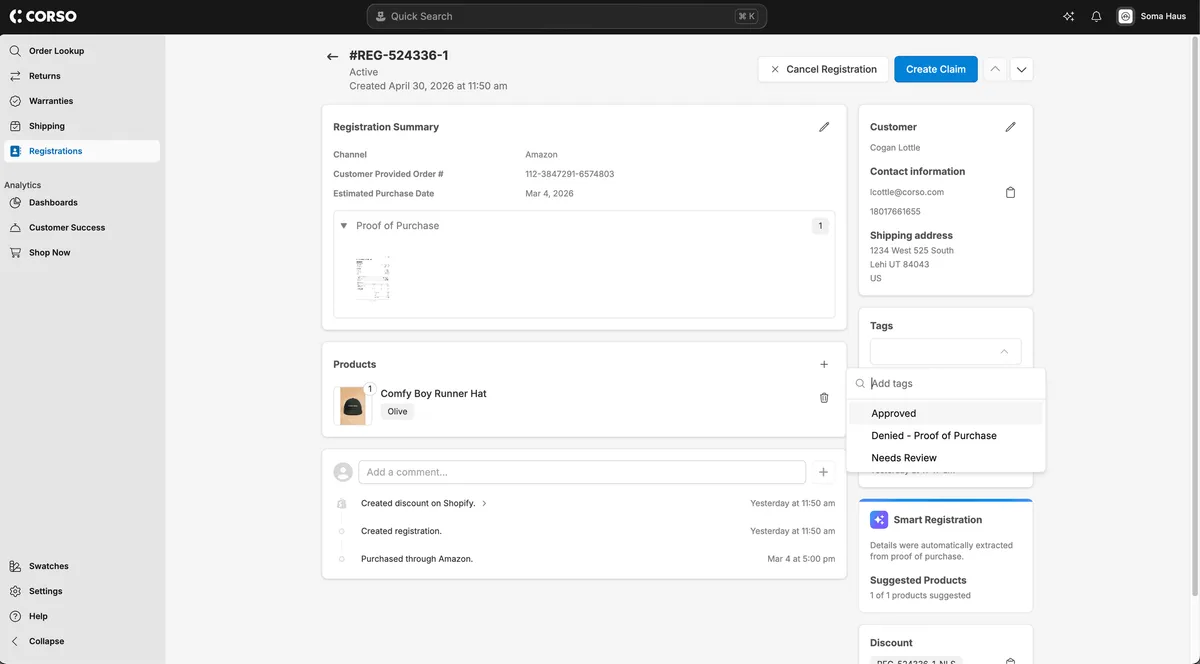
Brands can now tag registrations in the Corso admin and create custom views filtered by tag, making it easier to organize and manage registrations at scale.
Registration tagging is now available in the Corso admin. Users can apply any custom tags to individual registrations to better organize and manage their registration data. In addition, custom views on the registrations page can be created and filtered by tag, giving teams a more efficient way to segment and work through registrations based on their own organizational needs.
- Returns and Exchanges
Timeline Now Available on Registrations
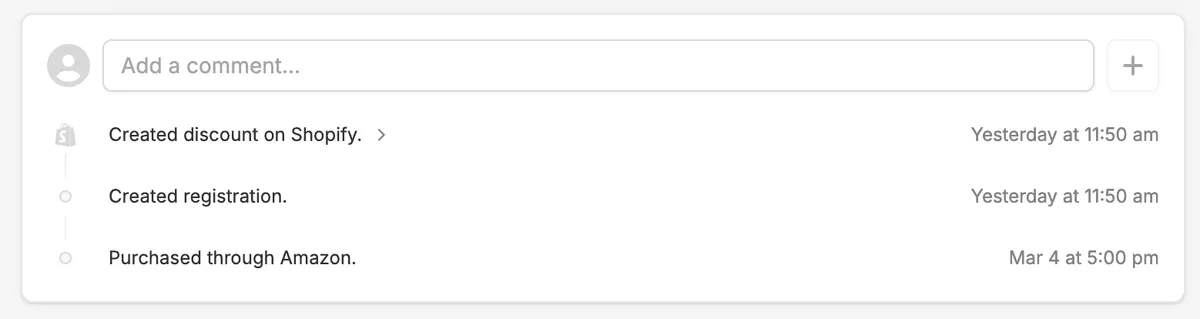
Registrations now include a timeline that logs key events like discounts and emails, and lets teams add internal notes for easier collaboration.
Registrations in the Corso admin now include a timeline, consistent with the experience on all other claim types. The timeline automatically logs key events and actions on the registration such as when it was created, whether a discount was generated, or if an email was sent. Users can also add internal notes directly to the timeline, making it easier for teams to communicate, track context, and manage registrations collaboratively.
- Returns and Exchanges
Introducing Sidekick: Corso's In-Admin AI Assistant
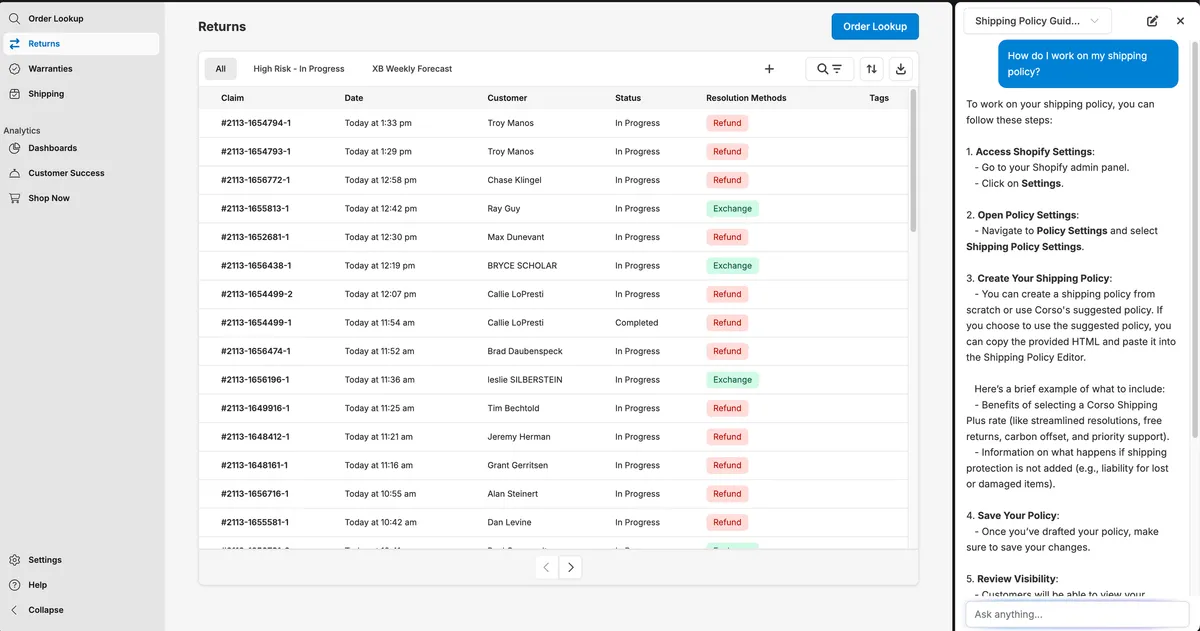
Sidekick is Corso's in-admin AI assistant that answers workflow questions, pulls reporting data, and surfaces insights from Concierge reports.
Sidekick is now available in the Corso admin as an all-new AI-powered assistant designed to help brands get more out of the platform. Accessible via the banner at the top of the admin, Sidekick can answer questions about settings and how-to workflows, pull metrics and reporting data housed within the admin, and surface insights from Corso Concierge reports and customer conversations for brands leveraging shipping protection. Brands can run multiple concurrent chats, start new conversations at any time, and receive responses that include step-by-step instructions and links to relevant knowledge base articles. Sentiment tracking is built in, allowing brands to rate responses with a thumbs up or down and add comments to help improve the experience over time.
- Returns and Exchanges
Claim Navigation Now Available Across All Claim Types
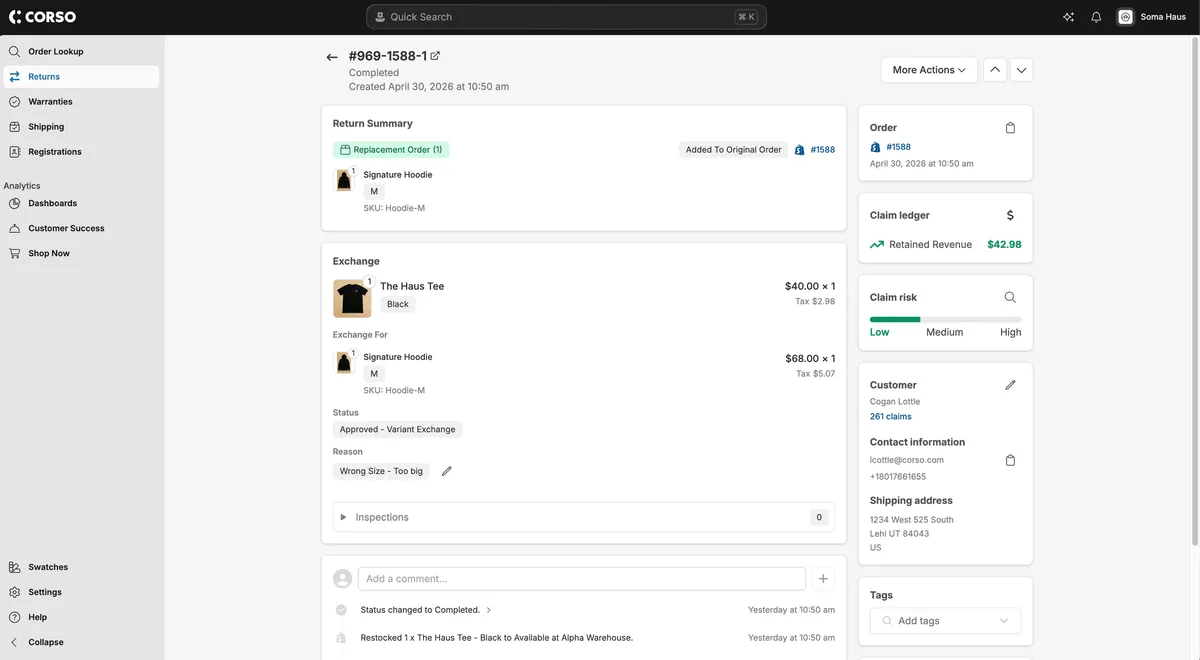
Move between claims directly from the claim view across Returns, Warranties, Shipping, and Registrations, without returning to the main claims list.
A new claim navigation feature has been added that allows users to move between claims directly from within the claim view, eliminating the need to return to the main claims overview page to find and open the next claim. This improvement applies across all claim types including Returns, Warranties, Shipping Protection, and Registrations, making daily claim management more efficient for teams working through high volumes of claims.
- Returns and Exchanges
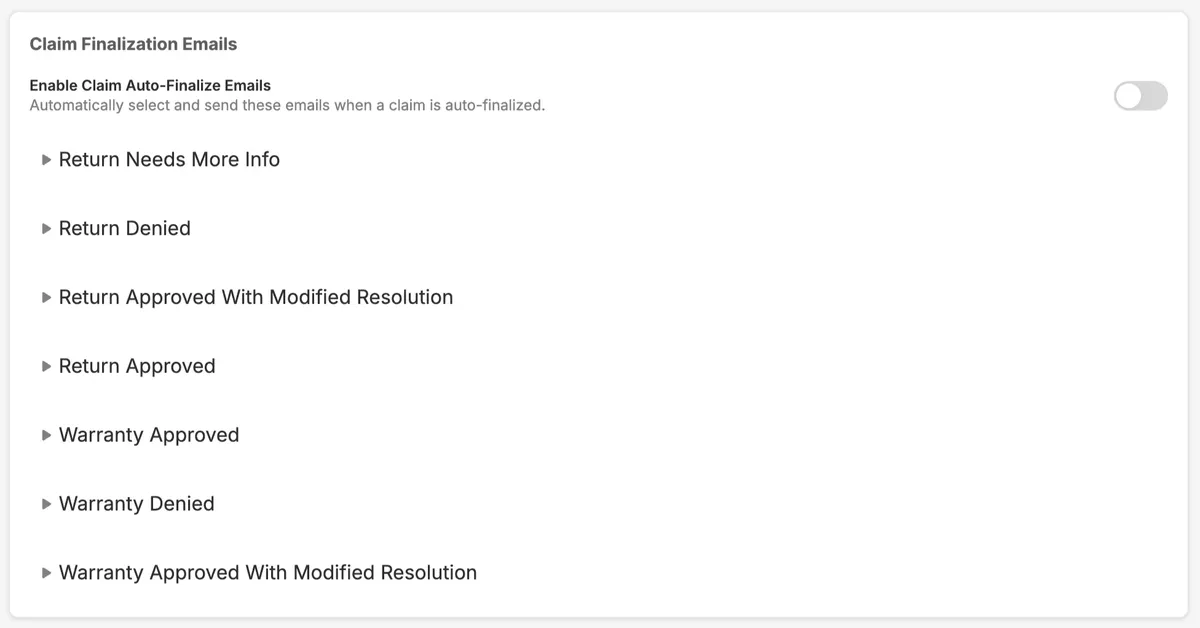
Enable or Disable Automated Emails for Auto-Finalized Claims
Choose whether approval or denial emails send automatically when a claim is auto-finalized, giving brands control over customer communication.
A new setting has been added that gives brands control over automated customer emails triggered by claim auto-finalization. When enabled, approved or denied emails will automatically send to customers upon auto-finalization as expected. When disabled, those emails will be suppressed, allowing brands to manage their own communication cadence or avoid sending notifications in scenarios where auto-finalization runs in the background.
- Returns and Exchanges
Address Validator Added to Admin Locations and Claims
Verify shipping policy locations and customer claim addresses in the Corso admin with EasyPost, applying suggested fixes that sync back to Shopify.
A new address validation tool is now available in the Corso admin, powered by EasyPost. Brands can verify addresses across multiple areas of the application, including shipping policy locations and customer addresses on claims. When an address is flagged as invalid or incomplete, Corso will surface recommended corrections that can be applied and saved in a single step. For customer addresses, saved changes will also sync back to the customer's file in Shopify, ensuring accuracy across both platforms.

- Returns and Exchanges
Registration Page UI Enhancements and Expanded Editing Capabilities
The registrations page now matches standard claim pages for readability, and brands can edit registration details even after a warranty claim is filed.
The registrations page has been updated with a refreshed UI that aligns with the standard Return or Warranty claim page experience in the Corso admin. Customer information, status, and product details have all been reorganized for improved readability and visual consistency across the platform. Additionally, brands can now edit registration details freely even when a warranty claim has already been filed against that registration, removing a previous limitation that restricted edits post-claim.
- Returns and Exchanges
Registration Marketing Consent Now Syncs to Shopify and Displays Within Registration
Marketing consent from registrations now updates the customer's subscription status in Shopify automatically and displays within each registration record.
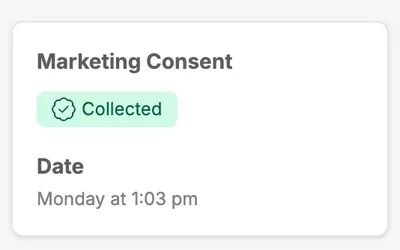
When a registration is submitted and Corso is the source of marketing consent collection, the customer's account in Shopify will now automatically be updated to subscribed. This ensures marketing opt-ins captured through the registration flow are reflected in Shopify without any manual intervention. The registration record itself has also been updated to surface consent details more clearly, including the date consent was collected. In cases where a customer was already subscribed prior to registration, that existing status will also be displayed within the registration for full visibility.