

Changelog - September 2026
- Returns and Exchanges
Choose which media types customers can upload
Choose the file types customers can upload when a claim collects additional information.
You can choose which types of files customers upload when a claim asks for additional information. In the Collect Additional Information rule, select the accepted media from images, videos, and PDFs.
The upload step accepts only the file types you choose. Messages customers see during upload, like the required number of image files, match the media type you accept.
- Shipping & Delivery
See status badges on shipping claim line items
Line items on a shipping claim show status badges so your team can review details at a glance. Customized marks an item that was personalized when ordered, Removed from order marks an item no longer on the original order, and Unfulfilled marks an item that has not been fulfilled. Items added to the claim after it was created are labeled Replacement item.
- Returns and Exchanges
Route Global-e orders through a dedicated return shipping policy
Merchants using Global-e can now create a Return Shipping Policy that delegates destination and label issuance to Global-e instead of a manual return location.
When configuring a Return Shipping Policy automation, you can now set the Return Handling field to 'Managed by Global-e'. When this option is selected, Global-e decides where returned items are sent and issues the return label automatically. Use the rule conditions to target the specific countries where this policy should apply.
This option appears only when your store has Global-e configured. Standard return-to-a-location policies work exactly as before.
- Integrations
Test your Klaviyo event flows without waiting for real claims
Send sample Corso events to Klaviyo from the integration settings to verify your flows are set up correctly before real claims arrive.
You can now send test Corso events directly to your Klaviyo account from the Klaviyo configuration settings. Open the Klaviyo settings, click Test next to Corso Events, choose the events you want to send, and optionally enter a claim number to use real claim data. Results show immediately so you can confirm your flows are wired up correctly before any live activity comes through.
- Shipping & Delivery
Claim risk now visible on shipping protection claims
Claim risk scoring is now shown on shipping protection claim pages, with Low, Medium, and High levels and a full factor breakdown.
The Claim risk card now appears on shipping protection claim pages, giving you the same Low, Medium, and High risk scoring that was already available on return and warranty claims. You can open the risk breakdown to see the individual factors and justifications Corso used to score the claim.
- Returns and Exchanges
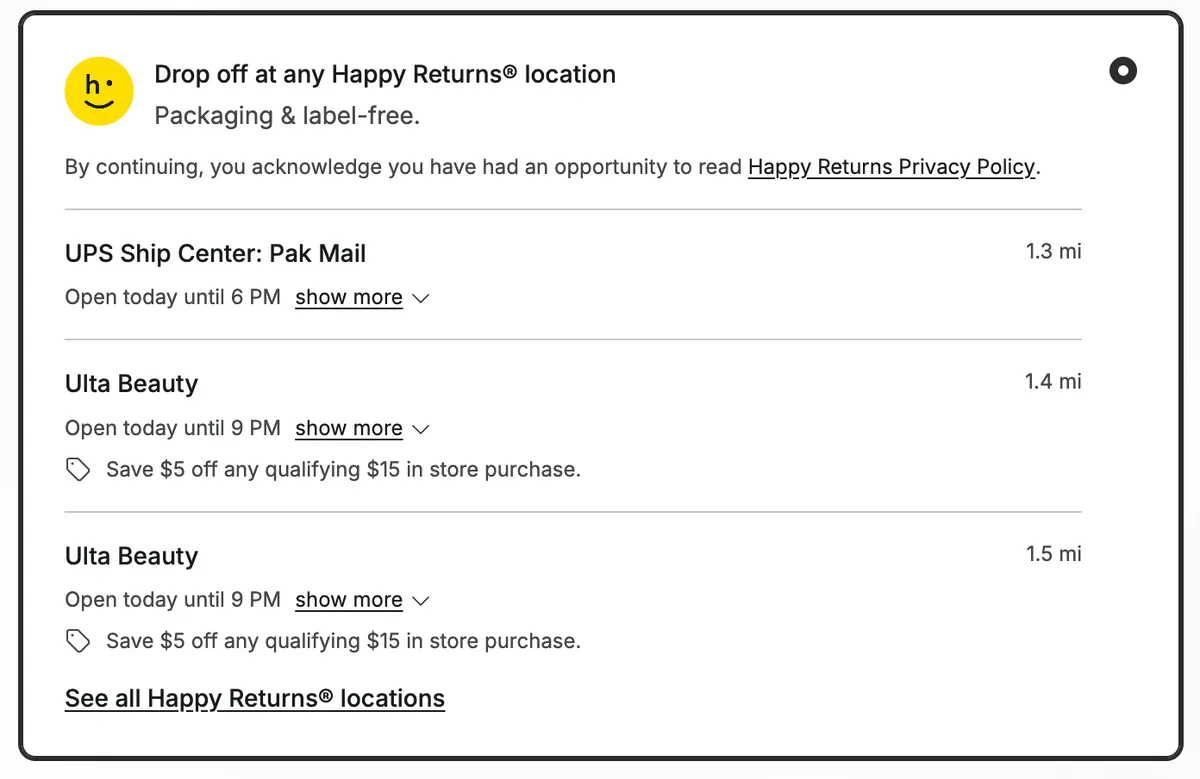
Corso is now approved as a Happy Returns technology partner!
You can contact them about qualifying for their program and start offering Happy Returns to your customers.
Happy Returns lets your customers return items without a box and without a label. The customer takes the items and a QR code to a nearby Return Bar location, staff scan the item barcodes, and the items travel back to you via a consolidated freight carrier.
For your customers, that removes the two steps most likely to stall a return: finding a box and printing a label. For your team, the claim behaves like any other Corso claim, it appears in your queue, moves through the same statuses, and finalizes the same way.
- Shipping & Delivery
Track the full history of a shipping protection claim
Shipping protection claims now show a full event timeline in the Corso Admin. See claim history at a glance and add internal notes directly to the claim.
The shipping protection claim page in the Corso Admin now includes a timeline section. You can see a chronological record of every event on the claim, including when it was created, finalized, or when a finalization attempt failed. You can also add your own notes directly to the timeline to keep a record of internal actions or decisions.